Quick answer
Go southeast from the Lifepod toward the Welcome Center lead, around bearing 150 in current route guides. Bring a Scanner and at least one Basic Battery because the existing station may need power. After scanning the intact Biolab, build your own with Titanium x3, Copper Wire x1, and Mild Acid x1, then place it near biological storage and Bioscanner planning.
Where this route sits
P2 / Biolab and Welcome Center
Station chain entrance
- Coordinate status
- Coordinate pending
- Approx route marker; exact in-game coordinate pending.
- Bring before leaving
- Scanner, oxygen buffer, and a return landmark.
Coordinate record
- Video timecode
- 04:45
- Measured coordinate
- Pending player coordinate pass
- Depth
- Pending
- Entrance cue
- Use the station-chain entrance and confirm the Welcome Center frame.
- Safe return
- Return to the first oxygen-safe station landmark.
Route sub-points
 1
1Welcome Center exterior
Match the station silhouette before entering the chain.
Pending measured coordinate
Open this sub-point on map 2
2Power socket route
Use the power-socket frame to confirm the correct station branch.
Pending measured coordinate
Open this sub-point on map 3
3Biomod interface
Stop here for scan/interface progress before leaving the route.
Pending measured coordinate
Open this sub-point on mapField notes for the first Biolab
Power comes before the blueprint
The P2 route lingers on facility equipment and wall hardware because this is the step people skip. If the station does not respond, check the nearby socket and battery handoff.
The Welcome Center is a lesson, not your workshop
Use the first station to unlock and understand the Biolab loop. Once you have the blueprint, your own base version should sit beside storage, Bioscanner notes, and upgrade materials.
Mild Acid is the small blocker
Titanium and Copper Wire are normal base-building costs. Mild Acid is usually the ingredient that sends you back out, so stage it before opening the Habitat Builder.
Video stills from the P2 Biolab route
These P2 frames show why the Biolab route should be handled as a short unlock chain: confirm the facility station, solve the wall-power step, then use the Biolab interface as base-prep context.
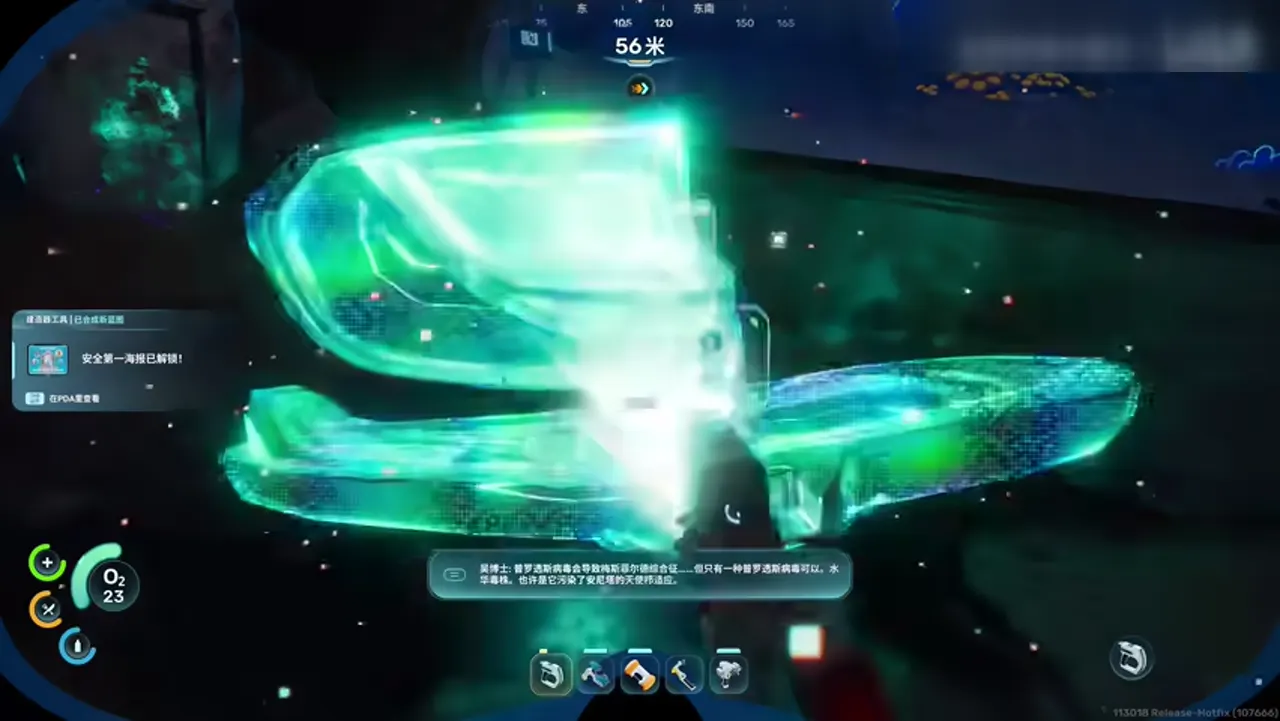
Confirm the station before leaving the structure
Around 4:45, the P2 footage stops on a bright facility station instead of rushing away. Use this moment to confirm what can be scanned, powered, or marked for the return build.
Source: Bilibili P2 route frame, around 4:45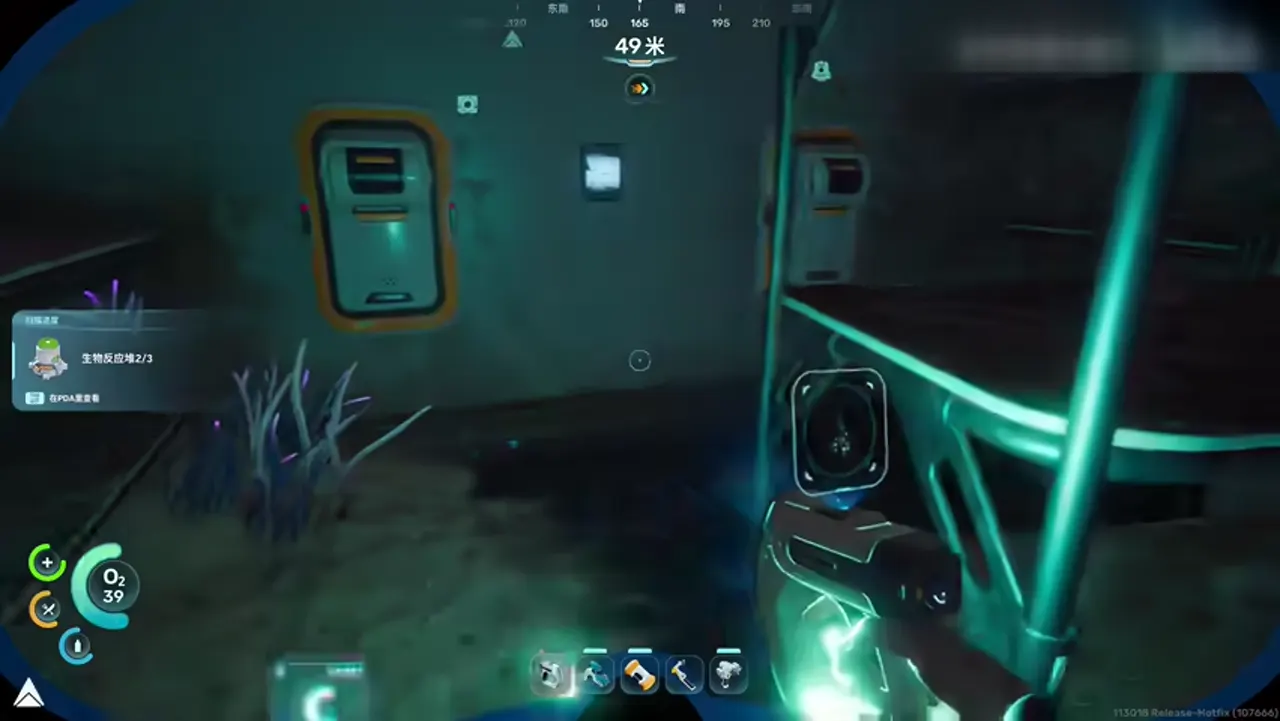
Check the wall socket before blaming the scan
Around 6:30, the route focuses on the interior wall equipment. If the Biolab is dark or inactive, check the nearby socket and battery step before assuming the blueprint route failed.
Source: Bilibili P2 route frame, around 6:30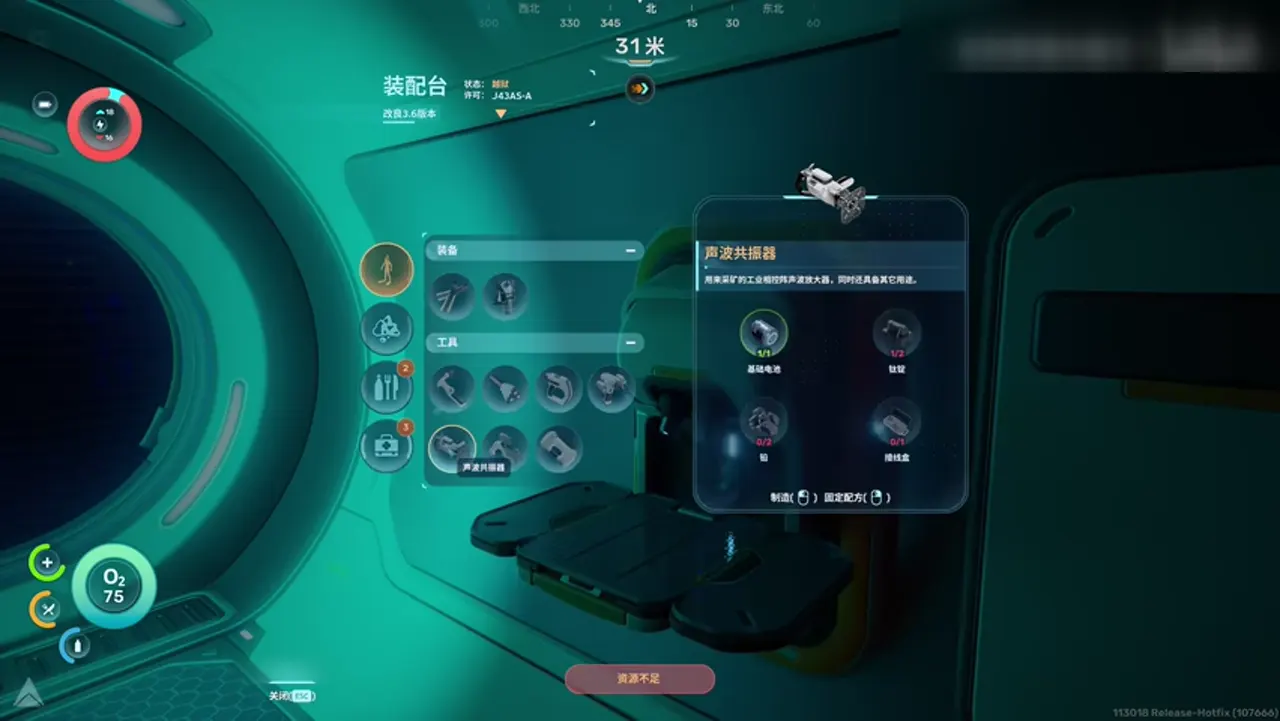
Treat Biolab as route prep, not decoration
Around 21:30, the interface view makes the point: Biolab matters because Biomods change the next dive. Put your base Biolab near storage and scan planning, not in a random empty corner.
Source: Bilibili P2 route frame, around 21:30Notas visuais e fontes
Arte original de rota
Abyss Guides usa arte chibi submarina própria, sem copiar capturas de wiki nem uploads de fãs.
Fonte: arte original do Abyss Guides
Trailer oficial de gameplay de Subnautica 2
O vídeo ajuda com clima, veículos e biomas. Não use cenas do trailer como coordenadas exatas de farm.
Fonte: incorporação oficial do YouTube de SubnauticaBiolab unlock and build plan
Follow the Welcome Center lead first
Current route notes point southeast from the Lifepod, around bearing 150, toward the Welcome Center. Bring the Scanner, a clean oxygen plan, and a spare battery before you enter the structure.
Look for the power socket
Console Pulse notes the intact Biolab can require a Basic Battery. The P2 wall-station frame is a good reminder: scan problems are sometimes power problems, especially in facility interiors.
Scan the intact Biolab
Do not leave after seeing the room. Stand close enough, finish the scan, and confirm the blueprint unlock before swimming back to base.
Build the home station with the Habitat Builder
Current blueprint pages list Titanium x3, Copper Wire x1, and Mild Acid x1. Place it near storage instead of burying it in a decorative room, because you will use it while planning the next route.
Pair it with Bioscanner habits
Wand describes Biolab as the place to inject and remove Biomods. Treat those active and passive slots as route tools for travel, survival, scans, and dangerous biome checks.
Do not spend the only Mild Acid blindly
Biolab competes with other early-mid crafting goals. If you only have one Mild Acid, decide whether Biomods or a different route-critical craft unlocks the next useful step.
Biolab route card
Find
Welcome Center
Use the early facility route to locate the intact station.
Power
Battery
Check the wall socket before assuming the scan is broken.
Build
Biolab
Titanium, Copper Wire, Mild Acid, then Biomod planning.
Biolab checklist
| Need | What to confirm |
|---|---|
| Welcome Center lead | Use the southeast route from the Lifepod and watch for facility interiors. |
| Basic Battery | Needed if the existing station or wall socket must be powered first. |
| Scanner | Required to unlock the Biolab blueprint from the intact unit. |
| Titanium x3 | The largest direct material cost for the home build. |
| Copper Wire x1 | Reserve Copper before spending it on extra batteries. |
| Mild Acid x1 | Stage it early so the Habitat Builder step is not delayed. |
| Bioscanner link | Creature scans become more useful once Biomod choices live at base. |
Do not treat Biolab like a cosmetic base prop
A Biolab earns its space when it sits in the same workflow as your Scanner, biological parts, and next-route planning. If you build it far from storage, you will forget to use it before dives.
FAQ
Where is the first Biolab in Subnautica 2?
Current route guides point to the Welcome Center southeast of the Lifepod, around bearing 150, where an intact Biolab can be powered and scanned.
What is the Biolab recipe?
Current blueprint pages list Titanium x3, Copper Wire x1, and Mild Acid x1, built with the Habitat Builder after the scan unlock.
Why do I need a Basic Battery?
The existing Biolab route can involve a wall power socket. Bring a Basic Battery so the scan step does not stall inside the structure.
What does Biolab do?
It manages Biomods. Public databank text describes active and passive Biomod slots, so use the station before dives where route conditions matter.
What does the P2 video add?
It shows the practical sequence: facility station, wall-power check, then Biolab interface planning instead of a vague “go find the room” instruction.